DineyPOS

Restaurant POS & order management

Run every outlet from one calm, connected system

DineyPOS brings orders, kitchen, billing, shifts and reports together — so your team serves faster and your books always add up.

  • Multi-outlet ready
  • Works through connectivity drops
  • Role-based access & audit trail
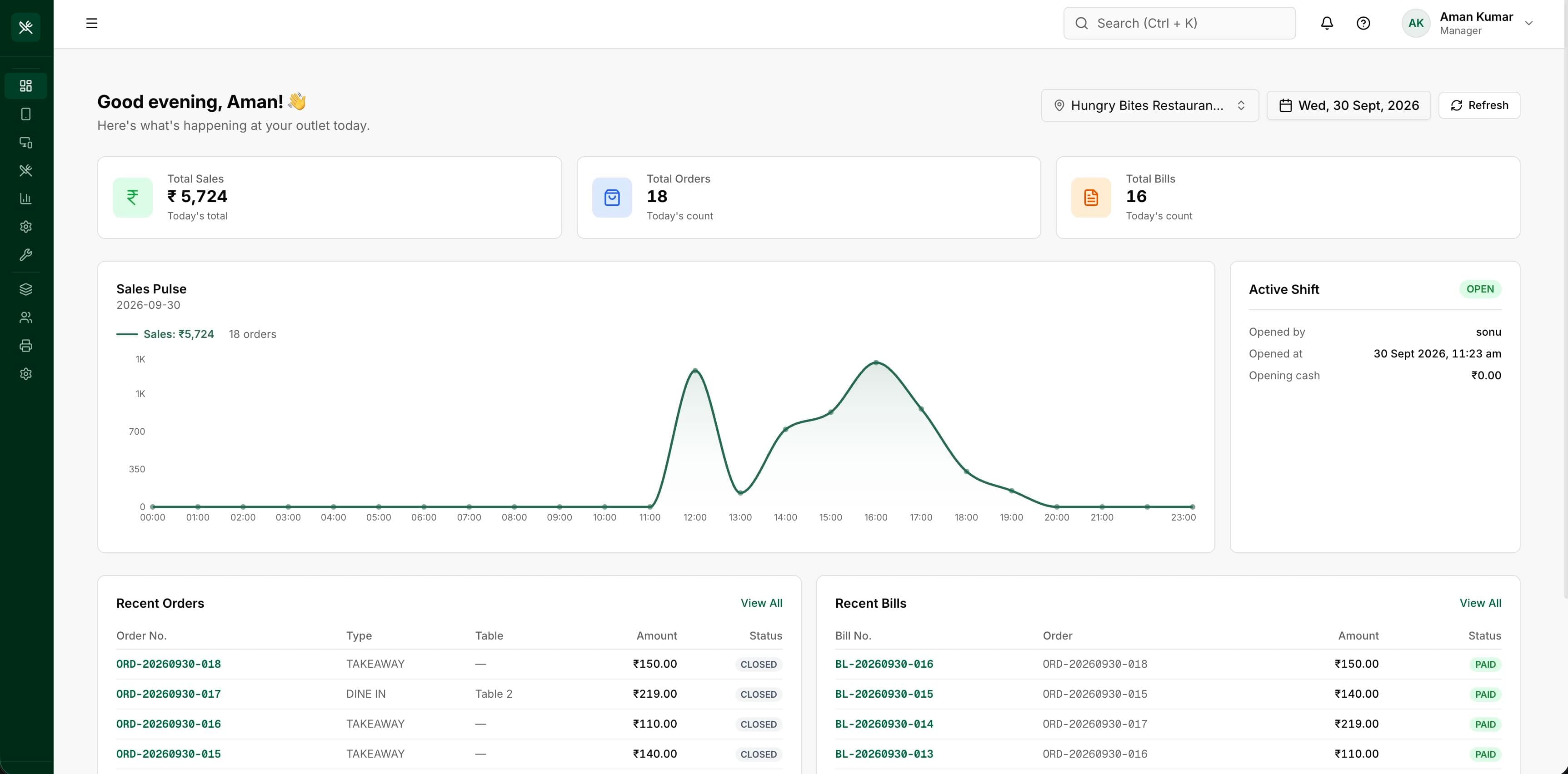
DineyPOS web portal dashboard showing today's sales, orders, bills, sales pulse chart and active shift

Features

Everything a restaurant needs, nothing it doesn't

From the first order to the closing shift, DineyPOS keeps front of house, kitchen and back office in sync.

  • Flexible billing

    Split bills, partial bills and multiple payment attempts — every payment traced back to the order it came from.
  • Kitchen order tickets

    Route items to the kitchen with human-friendly token numbers and follow each item from queued to served.
  • Menus, variants & modifiers

    Model sizes, add-ons and combos once, then keep prices consistent across every outlet and device.
  • Shift & cash control

    Open and close shifts, reconcile cash and keep every payment tied to a person and a time window.
  • Taxes & adjustments

    Configure taxes, discounts and charges centrally. Totals are snapshotted so past bills never change.
  • Live dashboards & reports

    See sales, order flow and outlet performance as it happens, from the web portal or your phone.
  • Built for real restaurants

    Mobile-first ordering that stays responsive when the network does not, and syncs when it returns.
  • Receipts & kitchen printing

    Connect thermal printers for customer receipts and kitchen tickets without changing how your team works.
  • Roles, outlets & audit logs

    Give each person exactly the access they need, per outlet, with a full history of who did what.

How it works

Up and running in three steps

  1. 1

    Tell us about your restaurant

    Share a few details about your outlets and how you operate using the form below.

  2. 2

    We set up your workspace

    Our team creates your restaurant, outlets, staff roles and menu so you are ready on day one.

  3. 3

    Start taking orders

    Your staff sign in on the mobile app, and you manage everything from the web portal.

FAQ

Questions, answered

How do I get started?

Send us a registration request using the contact form. We will get in touch to understand your needs and set up your account.

Can I manage more than one outlet?

Yes. DineyPOS is multi-tenant by design: one restaurant account can have several outlets, each with its own staff access and reports.

What devices do my staff need?

Staff take orders on the DineyPOS mobile app. Owners and managers use the web portal for menus, staff, reports and settings.

Does it work if the internet is unreliable?

The mobile app is built to keep working through short connectivity drops and to sync your data once you are back online.

Is my data secure?

Access is controlled by roles and outlets, sensitive actions are recorded in an audit log, and every restaurant's data is isolated from others.

Get started

Ready to bring your restaurant onto DineyPOS?

Tell us about your restaurant and we'll get in touch to set up your account.

  • Guided onboarding from our team
  • We reply to every request
  • Your details are only used to contact you